Quickstart
To make your first API call, you'll need a Circa account and an API key.
Create an account or log in at app.circa.ai, then open the Developer portal from the profile menu in the top-right navbar:
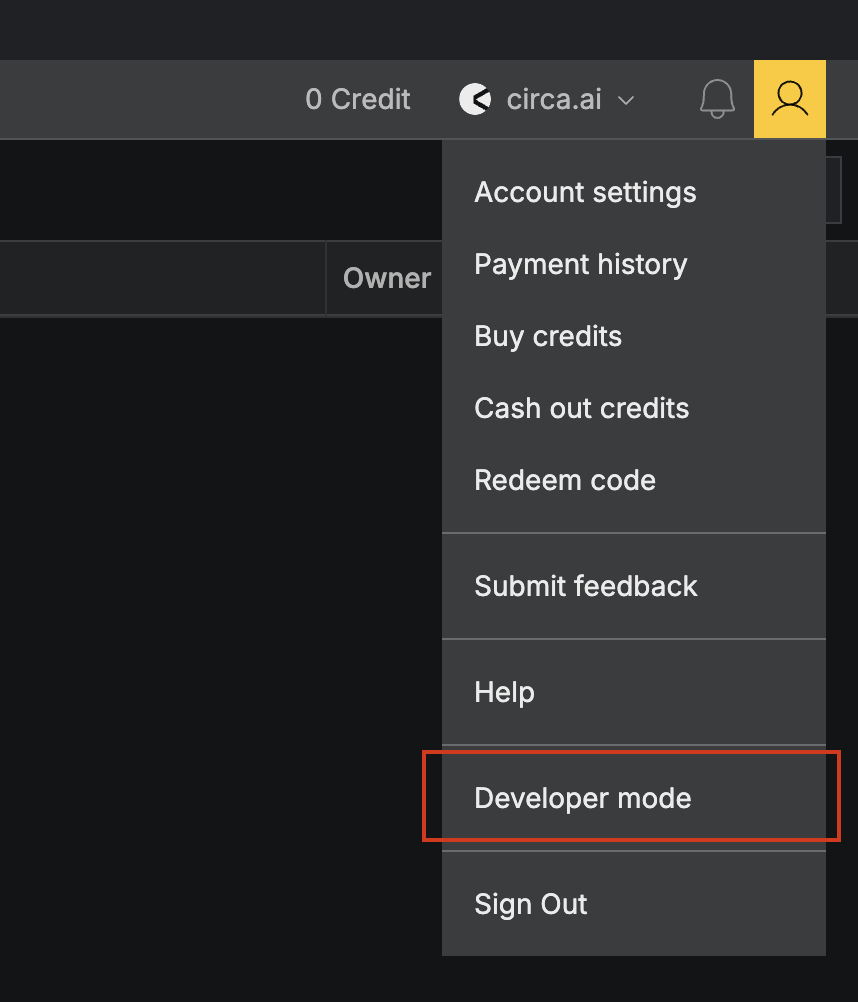
Generate an API key
Go to API keys → Create new key. Pick Live or Test when you create the key — test keys can be revealed at any time in the portal, live keys are shown once and cannot be recovered.
Copy your key (circa_live_…) — it is only shown once.
Find your team ID
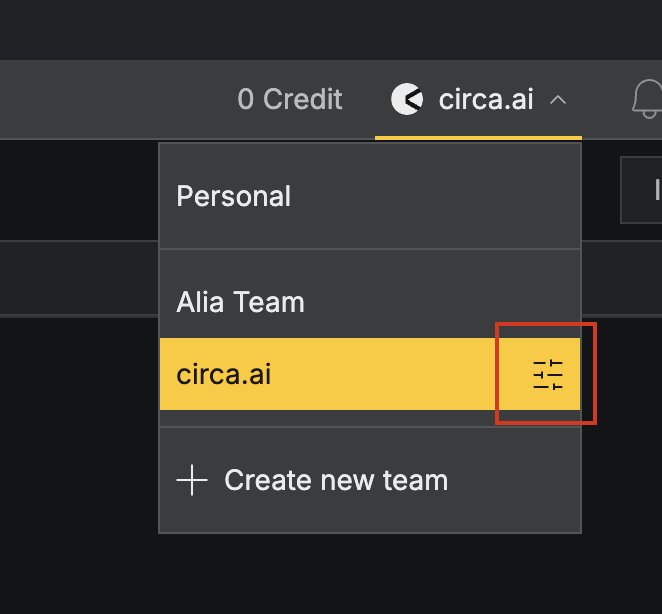
Every public API request must include both x-api-key and x-team-id. To get the team id, open the team selector in the top-right navbar and click the settings icon next to the team you want to operate against:
That opens Team Settings → General, which shows the team id with a copy button:
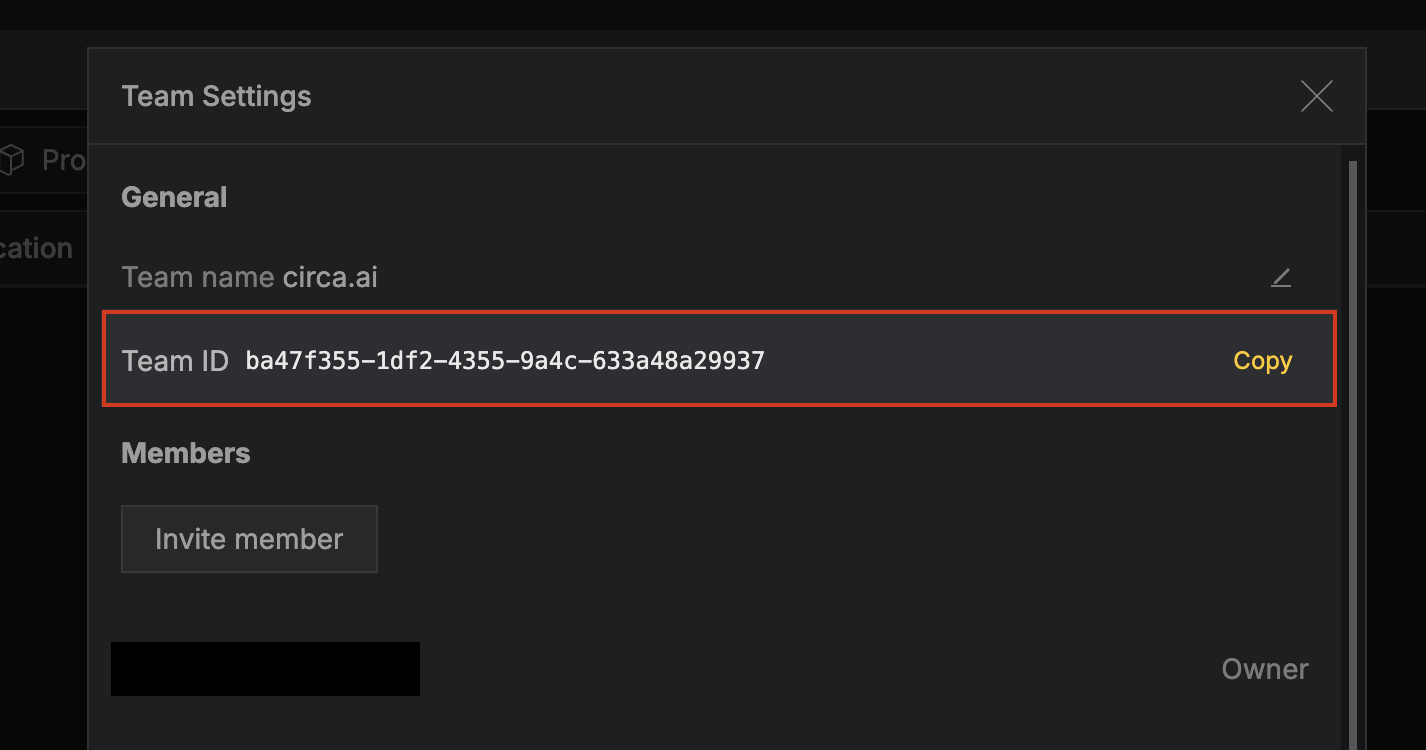
Use that value as x-team-id on every request. To list every team you can pass via x-team-id programmatically, call GET /public/teams.
Make your first request
Once you have your API key and Team ID, you can make your first call.
curl -s 'https://api.circa.ai/public/me' \
  -H 'x-api-key: circa_live_REPLACE_ME' \
  -H 'x-team-id: TEAM_ID_FROM_OVERVIEW' \
  -H 'Circa-Version: 2026-05-11.arrakis'
A successful call returns your profile:
{
  "id": "u_a13c…",
  "email": "dev@example.com",
  "firstname": "Ada",
  "lastname": "Lovelace",
  "recentTeam": "t_72f3…"
}
What's next
- Use GET /materials / GET /processes to browse the library.
- Pick a property id off a material and call POST /materials/:id/properties/pull to purchase its numeric value.
- To purchase a process's batch size (input / output exchanges) for a given reference product, call POST /processes/:id/pull.
- To purchase impact values on a process by characterization method, look up the methods at GET /impact-methods and pass the matching
characterizationFactorProcessIdsto POST /processes/:id/impacts/pull. - Add
?pulled=trueto either list endpoint to list only what your team has revealed access to.